Eye Strain from Screens: Simple Daily Habits for Comfort
BY: DA PUBLISHED: 2026-11-27 20:16:32 | UPDATED: 2026-11-27 17:47:26 | Views: 53
Screens tire your eyes? Learn simple, practical habits—from the 20-20-20 break to lighting and workspace setup—for more comfortable screen time.
Many of us spend hours each day looking at phones, laptops and TVs. By evening, eyes can feel tired, dry or heavy, and focusing can feel like more effort than it should.
The good news is that a few small daily habits can make screen time feel more comfortable. This guide covers practical, everyday steps you can start today, at home, in the office or on the move.
Key takeaways
- Take short, regular breaks and look at something far away.
- Place your screen at a comfortable distance, slightly below eye level.
- Reduce glare and match screen brightness to the room.
- Blink often and keep your body well hydrated.
- Wind down with screen-free time in the evening.
- If discomfort continues, consult a healthcare professional or eye care specialist.
Why screens can leave your eyes feeling tired
When we read or work on a screen, we tend to concentrate closely and blink less than usual. Our eyes also hold the same near focus for a long time.
Small text, bright light, glare and an awkward seating position can add to the feeling of tiredness. People often call this “digital eye strain” in everyday conversation.
This is general wellness information, not a diagnosis. The habits below are about comfort and good routines, not treatment.
Build the 20-20-20 break habit
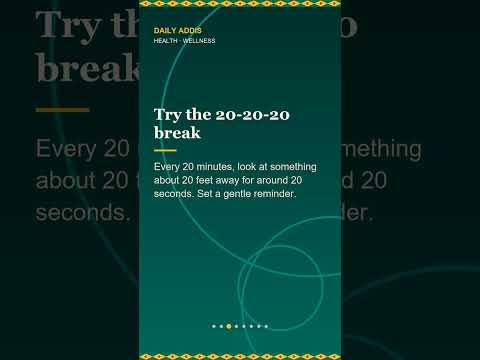
The 20-20-20 rule is a popular, easy-to-remember habit. Every 20 minutes, look at something about 20 feet (roughly 6 metres) away for about 20 seconds.
It gives your eyes a short change of focus. You do not need to be exact. The goal is simply to pause and look into the distance regularly.
- Use a reminder: set a gentle timer on your phone or computer.
- Look outside: a window, a garden or a far wall works well.
- Stand up too: pair the break with a quick stretch or a sip of water.
Set up your screen and workspace
A comfortable setup helps your eyes and your posture at the same time. Small adjustments often make a noticeable difference.
- Distance: keep your screen about an arm’s length away.
- Height: place the top of the screen at or slightly below eye level, so you look a little downward.
- Text size: increase font size so you are not leaning forward or squinting.
- Phone habits: hold your phone a little farther from your face and avoid reading in awkward positions.
- Seating: sit with your back supported and feet flat on the floor.
Manage lighting and glare
Light matters as much as the screen itself. A very bright screen in a dark room, or a window reflecting on your display, can feel tiring.
- Match screen brightness to the room around you. It should not look like a glowing lamp in the dark.
- Position your screen so windows are to the side, not directly behind or in front of it.
- Use curtains or blinds to soften harsh daylight.
- Keep the screen surface clean, since smudges can add to glare.
- Try your device’s night or warm display mode in the evening if you find it more pleasant.
Blink often and keep comfort habits
People tend to blink less while concentrating on a screen. Blinking spreads moisture across the eye surface, so a little awareness helps.
Video 1 of 1
Try a few slow, full blinks whenever you take a break. Drinking enough water through the day and avoiding very dry, windy or air-conditioned spots for long periods can also support general comfort.
If you wear glasses or contact lenses, keep them clean and use the prescription your eye care professional recommended. Please do not change or skip prescriptions based on general articles.
Quick comparison of simple habits
| Habit | How to do it | When to use it |
|---|---|---|
| 20-20-20 break | Look far away for about 20 seconds | Every 20 minutes of screen work |
| Screen position | Arm’s length, slightly below eye level | Start of each work session |
| Glare control | Move screen, adjust blinds, clean display | Whenever reflections appear |
| Conscious blinking | Several slow, full blinks | During each break |
| Evening screen break | Switch off screens before bed | Last 30 to 60 minutes of the day |
Wind down with screen-free time
Giving your eyes a rest at the end of the day is a simple, pleasant habit. Try reading a printed book, listening to music, cooking, or taking a short evening walk.
A calmer evening routine can also support better rest. Many people find that putting devices away a little earlier makes it easier to relax.
Short outdoor breaks during the day are helpful too. Looking at distant trees, buildings or the sky is a natural way to change your focus.
Frequently Asked Questions
Does the 20-20-20 rule really help?
It is a widely shared habit that encourages regular breaks and distance viewing. Many people find it a helpful reminder, though experiences vary. It is a comfort habit, not a medical treatment.
Is it better to use a bigger screen?
A larger screen or larger text can make reading easier, because you do not need to lean in or squint. What matters most is comfortable distance, good lighting and regular breaks.
How can I reduce eye strain when I work all day?
Combine several small habits: schedule short breaks, set your screen at a comfortable height, reduce glare, blink consciously and drink water regularly. Consistency matters more than perfection.
When should I see a professional?
If your eyes feel uncomfortable for long periods, your vision changes, or you have headaches, pain or redness, consult a healthcare professional or eye care specialist. They can give advice that fits your situation.
Conclusion
Comfortable screen time comes from small, repeatable habits: regular breaks, a thoughtful setup, good lighting, mindful blinking and screen-free evenings. Choose one or two to start this week and build from there.
Disclaimer: This article offers general wellness information only. It is not medical advice and does not diagnose or treat any condition. Please consult a healthcare professional or eye care specialist about any concerns with your eyes or vision.
You May Also Like
Latest Videos
Stop Buying Apartments Blindly: 3 Hidden...
Jul 08, 2026Super Girl Movie 2026 is finally here!
Jul 05, 2026Ethiopian Kitfo
Jul 05, 2026Related Articles
Breathing Exercises for Stress Relief: A...
3 hours ago
Desk Posture Tips: Simple Habits and Str...
1 week ago