
How to Choose a Power Bank: A Practical Buyer's Guide
BY: DA PUBLISHED: 2026-11-28 08:32:23 | UPDATED: 2026-11-28 14:19:11 | Views: 86
Learn how to choose a power bank: capacity, output power, ports, safety features and travel rules, plus a simple checklist to help you buy with confidence.

A power bank is one of the most useful small gadgets you can own. It keeps your phone running during long days out, travel, power interruptions and busy work schedules. But the shelf can be confusing, with big numbers, many ports and very different sizes.
This guide explains what actually matters when you choose a power bank. You will learn how to read the labels, match the size to your needs and check quality before you pay. We do not mention prices or brands, because the best choice depends on what you need and what is available near you.
Key takeaways
- Decide first what you will charge: a phone, earbuds, a tablet or a laptop.
- Capacity is shown in mAh, but real usable energy is always lower than the label.
- Check the output power (watts) and the ports, not only the capacity.
- Look for clear safety information and protection features.
- Test the unit and check the seller's return policy before you commit.
- Carry power banks in your hand luggage when you fly, and check the airline's rules.
Start With How You Will Use It
The right power bank for a commuter is not the right one for a long trip. Before comparing products, answer a few simple questions.
- What devices will you charge? Phones need little power. Tablets and laptops need much more.
- How often can you recharge the power bank itself? If power is unreliable at home, a larger capacity may help.
- Where will you carry it? A pocket-size unit is easy to carry daily. A large one suits a bag or a trip.
- Will more than one person use it? Two or more ports are handy for families and shared trips.
Writing down your answers makes every other choice easier.
Understand Capacity (mAh and Wh)
Capacity tells you how much energy the power bank can store. It is usually shown in milliampere-hours (mAh). Some products also show watt-hours (Wh), which is a more direct measure of energy.
Phone batteries are commonly in the range of a few thousand mAh, so you can compare the two numbers. However, you will never get the full labeled capacity into your phone. Some energy is lost as heat and during voltage conversion, so the usable amount is noticeably lower than the label.
| Size class | Good for | Trade-off |
|---|---|---|
| Small (about 5,000 to 10,000 mAh) | Daily carry, one or two phone top-ups | Not enough for tablets or laptops |
| Medium (about 10,000 to 20,000 mAh) | Several phone charges, short trips, shared use | Heavier and larger |
| Large (above 20,000 mAh) | Long trips, multiple devices, some tablets and laptops | Heavy, slower to recharge, extra travel limits |
These ranges are general guides. A bigger number is not always better, because a larger power bank is heavier and takes longer to refill.
Check Output Power and Charging Speed
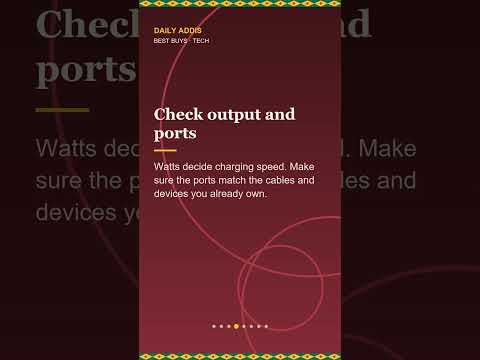
Output power, measured in watts (W), decides how fast your device can charge. A high-capacity power bank with low output will still charge slowly.
- Check what your device supports. Your phone's manual or settings usually mention its fastest charging method.
- Match the charging standard. Fast charging works best when the power bank, cable and device support the same standard.
- Look for a clear output rating. The label should list output per port and total output when ports are shared.
- Laptops need more power. Only choose a power bank for a laptop if its labeled output matches your laptop's charger requirements.
Also check the input rating. It tells you how quickly the power bank can recharge itself. A large unit with slow input may take many hours to refill.
Look at Ports and Cables
Ports decide how flexible your power bank will be. Think about the cables you already own.
- USB-C is the most common modern port and often handles both input and output.
- USB-A is still useful for older cables and accessories.
- Multiple ports let you charge two devices at once, but the speed may be shared between them.
- Built-in cables or small displays are convenient, but make sure they do not replace the basics.
A good-quality cable matters as much as the power bank. A worn or poor cable can slow charging or fail completely. Keep a spare one in your bag.
Video 1 of 1
Prioritize Safety and Build Quality
Power banks contain lithium batteries, so safety should come before extras. You cannot verify everything in a shop, but you can look for sensible signs.
- Readable labels: capacity, input and output ratings, and the manufacturer or importer details should be printed clearly.
- Protection features: the packaging or manual should mention protection against overcharging, overheating and short circuits.
- Solid construction: the case should feel firm, with no gaps, loose ports or strong chemical smell.
- A real seller: buy from a shop or seller that offers a return or exchange option and gives a receipt.
Be careful with products whose capacity looks unrealistically high for their size and weight. A very small, very light unit with a huge number on the label deserves a closer look. Heavier batteries generally hold more energy.
Know the Travel Rules
If you fly, power banks are generally treated differently from other items. Airlines commonly require them in carry-on bags rather than checked luggage, and they often limit the size, with many using a limit around 100 Wh. Rules differ between airlines and countries and can change, so check with your airline before you travel.
If your power bank only shows mAh, you can look for a Wh value on the label. If it is not shown, ask the seller or check the manufacturer's information. Keep the label readable, and avoid carrying damaged units.
A Simple Checklist Before You Buy
- Write down the devices you will charge and how often.
- Choose a size class that fits your daily carry or trip needs.
- Check the output wattage and the charging standard your device supports.
- Confirm the ports match the cables you already have.
- Read the labels for ratings, protection features and maker details.
- Hold the unit and check weight, build and port fit.
- Ask about returns, exchanges and any warranty, and keep the receipt.
After buying, charge the power bank fully once and test it with your own phone and cable. If it gets very hot, swells or behaves oddly, stop using it and return it.
Frequently Asked Questions
How many times can a power bank charge my phone?
It depends on the power bank's capacity, your phone's battery size and the energy lost during charging. As a rough idea, a medium power bank can usually charge a typical phone a few times, but never as many times as the raw numbers suggest.
Is a bigger power bank always better?
No. Larger units hold more energy but are heavier, take longer to recharge and may face extra travel limits. Choose the size that matches your real daily use.
Can I use any cable with my power bank?
Most cables will work for basic charging, but fast charging needs a cable that supports the right speed. Use a good-quality cable and avoid damaged ones.
How can I make my power bank last longer?
Avoid leaving it in a hot car or direct sun, keep it dry, and do not use it if it is swollen or damaged. Recharge it from time to time even if you rarely use it.
Conclusion
Choosing a power bank does not need to be complicated. Start with your own needs, then check capacity, output, ports and safety in that order. A well-matched, well-made unit is more useful than the biggest number on the shelf.
Take your time, ask questions and test before you leave the shop. A little care at the start will give you reliable power whenever you need it.
You May Also Like
Latest Videos
Stop Buying Apartments Blindly: 3 Hidden...
Jul 08, 2026Super Girl Movie 2026 is finally here!
Jul 05, 2026Ethiopian Kitfo
Jul 05, 2026Related Articles

How to Buy a Mattress: A Practical Buyer...
1 week ago
How to Choose a Laptop: A Practical Buye...
3 weeks ago